What Is Cloud Computing? A Beginner’s Guide That Makes Sense
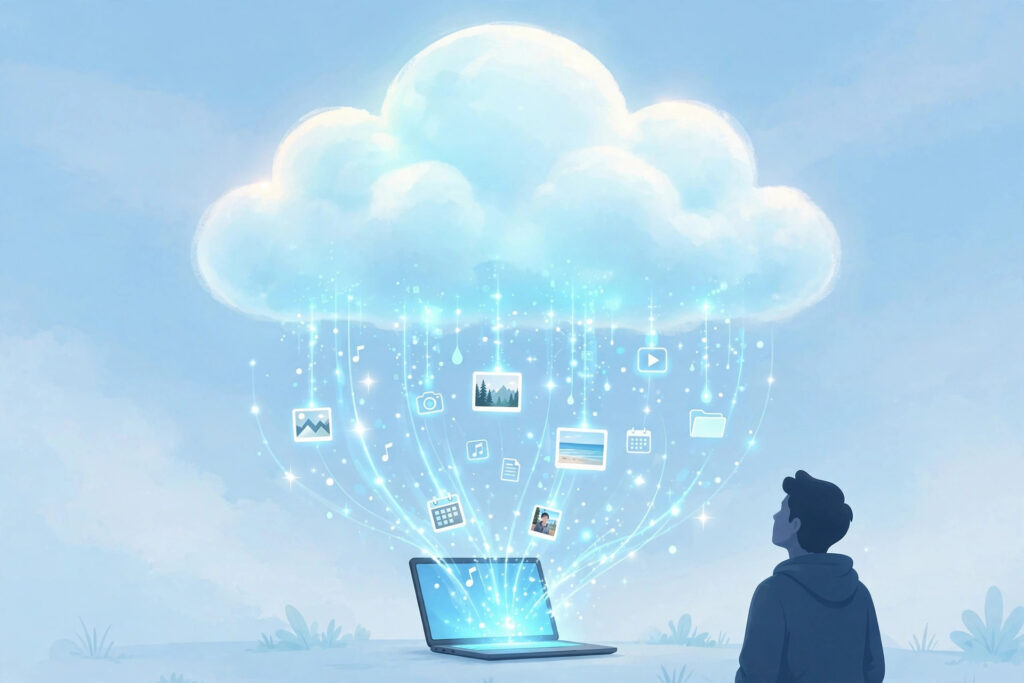
You use cloud computing dozens of times a day — every Gmail, Netflix stream, and phone photo backup runs on it — but the term itself is frustratingly vague. So what is cloud computing, really? Stripped of jargon, it is simply renting computing power, storage, and software over the internet instead of owning and running the hardware yourself. This guide explains it the way it should have been explained the first time.
Once you grasp the core idea, everything else — the service models, the deployment types, the endless acronyms — falls neatly into place.
What Is Cloud Computing? The Core Idea
The classic analogy: cloud computing is to computing what the power grid is to electricity. A century ago, factories ran their own generators; today, you plug into the grid and pay for what you use. Cloud computing does the same for servers, storage, and software. Instead of buying machines, racking them, and hiring people to maintain them, you rent capacity from providers like AWS, Microsoft Azure, and Google Cloud — scaling up or down in minutes and paying only for what you consume.
The US National Institute of Standards and Technology defines five essential traits, and they are worth knowing: on-demand self-service (provision resources yourself, instantly), broad network access (available over the internet from any device), resource pooling (providers serve many customers from shared infrastructure), rapid elasticity (scale up for a traffic spike, down afterward), and measured service (metered billing like a utility).
That elasticity is the superpower. A retailer can handle ten times normal traffic on Black Friday without owning ten times the servers year-round. A startup can launch globally on day one with no data center. You are renting flexibility as much as hardware.
The Three Service Models: IaaS, PaaS, SaaS
Cloud services come in three layers, often summarized as IaaS vs PaaS vs SaaS. Think of them as different levels of “done for you.” IaaS (Infrastructure as a Service) rents you raw building blocks — virtual machines, storage, networks. You manage the operating system and applications; the provider manages the physical hardware. It is like renting an empty commercial kitchen: total control, total responsibility for what you cook.
PaaS (Platform as a Service) adds a managed platform: the provider handles the OS, runtime, and infrastructure, and you just deploy your code. Services like Heroku, Google App Engine, and Azure App Service are PaaS. It is like a food-truck commissary — the facilities are handled, you focus on the food. Developers love PaaS because it removes operational busywork.
SaaS (Software as a Service) is finished software delivered over the internet: Gmail, Salesforce, Dropbox, Netflix. You use it; the provider runs everything. Most “cloud” experiences in daily life are SaaS. The trade-off across all three: the higher you go, the less control and customization, but the less you have to manage.
Deployment Models: Public, Private, and Hybrid
Public cloud is the shared-grid model: AWS, Azure, and Google Cloud serving millions of customers from massive data centers. It offers the best economics and elasticity, and it is what people usually mean by “the cloud.” Your data is logically isolated from other customers’ even though the hardware is shared — like apartments in a well-built building.
Private cloud dedicates infrastructure to a single organization, either on-premises or hosted. It offers maximum control and is favored where regulations or security policies demand it, but you lose much of the cost and elasticity advantage — you are back to owning capacity.
Hybrid cloud combines both: keep sensitive or stable workloads private, burst into public cloud for spikes or new projects. Multi-cloud uses several public providers to avoid lock-in or cherry-pick best-of-breed services. Both add complexity, so they are strategies for specific needs rather than defaults.
What Is Cloud Computing Good For? Benefits, Drawbacks, and Real-World Examples
The benefits are why the cloud won: no upfront hardware costs, near-instant scaling, global reach from dozens of data centers, managed security and compliance baselines, and freedom from hardware maintenance. Small teams can operate infrastructure that once required entire departments.
The drawbacks are real too. Costs can spiral without governance — idle resources and data-transfer fees produce infamous surprise bills. Downtime is rare but total: when a major region has an outage, everyone in it goes down together. Lock-in makes switching providers painful once you depend on proprietary services. And security is shared: the provider secures the infrastructure, but you must configure it correctly — most cloud breaches are customer misconfigurations, not provider failures.
Everyday examples surround you: streaming video, email, photo backup, online banking, collaborative documents, and the apps on your phone that sync everywhere. If it works from any device with an internet connection and you never installed a server, it is probably cloud computing.
FAQs
Q: Is the cloud just someone else’s computer?
A: That joke contains truth — your data does live on the provider’s hardware. But the cloud adds self-service provisioning, elasticity, metering, and managed services that make it qualitatively different from simple colocation.
Q: Is the cloud secure?
A: Major providers invest more in physical and infrastructure security than almost any customer could. The risk is misconfiguration on your side — open storage buckets and weak access controls cause most cloud breaches.
Q: What is the difference between the cloud and the internet?
A: The internet is the network connecting everything; cloud computing is a way of delivering computing resources over that network. All cloud services use the internet, but not everything on the internet is cloud computing.
Q: Do I need to learn the cloud for a tech career?
A: Increasingly yes. Cloud literacy — understanding the service models, core services, and cost basics of at least one major provider — is now expected across development, IT, data, and security roles.

admin
Tech writer at HubTech Fusion covering the latest in technology, from AI to cybersecurity and beyond.
Related Articles
Best Cloud Storage Services Compared: Price, Security, and Features
Your files live in the cloud now — documents, photos, backups, work projects — which makes choosing the right home for them…

How Much Does Cloud Hosting Cost? A Real Pricing Breakdown
Cloud hosting pricing pages are famous for two things: long lists of numbers and bills that surprise everyone. If you are asking…
AWS vs Azure vs Google Cloud: Which Platform Should You Choose?
Choosing a cloud provider feels like a permanent decision — and in some ways it is, since migrating later is painful. This…